
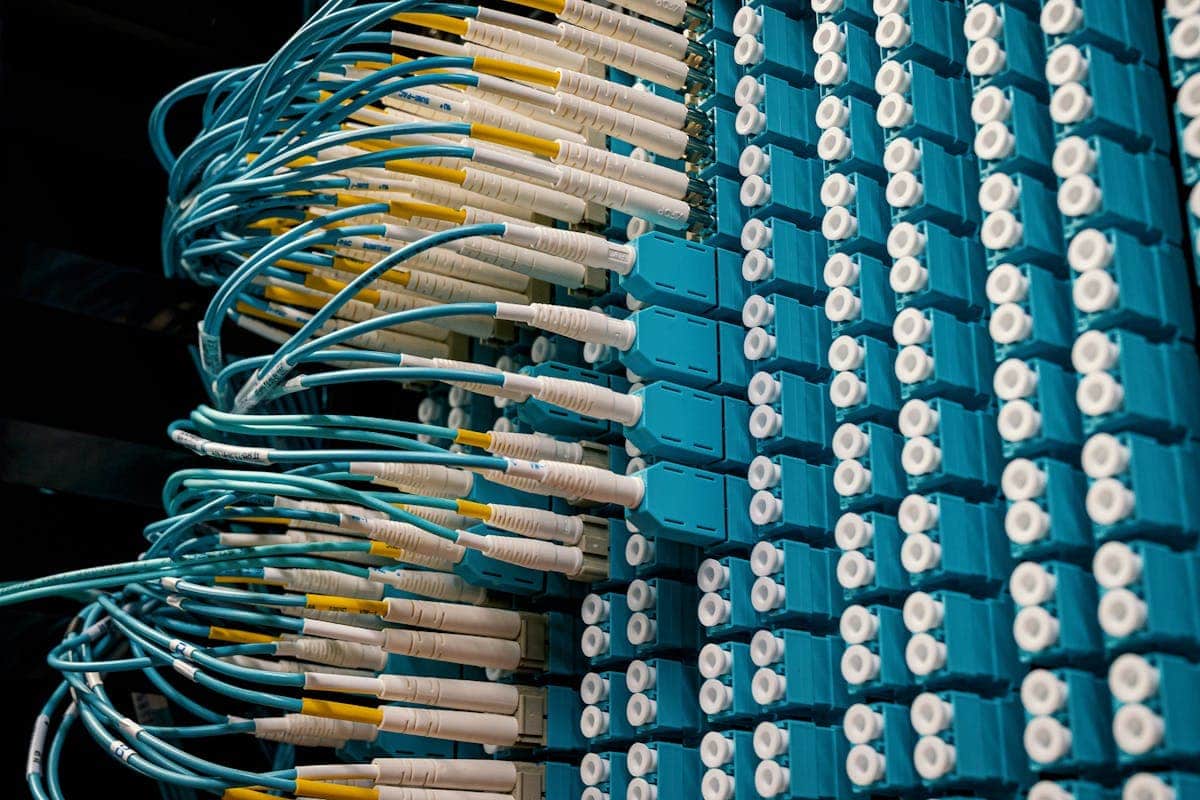

The fiber optic color code identifies each strand inside a cable so it can be spliced to the right strand at the other end. The most widely used standard is TIA-598-C, which defines a sequence of 12 colors: blue, orange, green, brown, slate, white, red, black, yellow, violet, rose and aqua. That same 12-color sequence is used twice — for the fibers inside each buffer tube and for the tubes inside the cable — and every cable count follows from it: 12, 24, 48, 96, 144 or 288 strands.
The 12 base colors (TIA-598-C)
| # | Color | Name in the standard |
|---|---|---|
| 1 | 🔵 Blue | Blue |
| 2 | 🟠 Orange | Orange |
| 3 | 🟢 Green | Green |
| 4 | 🟤 Brown | Brown |
| 5 | ⚪ Slate (gray) | Slate |
| 6 | ⚪ White | White |
| 7 | 🔴 Red | Red |
| 8 | ⚫ Black | Black |
| 9 | 🟡 Yellow | Yellow |
| 10 | 🟣 Violet | Violet |
| 11 | 🩷 Rose (pink) | Rose |
| 12 | 🩵 Aqua | Aqua |
How to remember the order
Field technicians usually memorize the initials — B-O-G-B-S-W-R-B-Y-V-R-A — with a mnemonic phrase of their own. Any sentence whose words start with those letters does the job. The two spots worth double-checking are the pairs most often swapped from memory: slate before white (positions 5 and 6) and rose before aqua (positions 11 and 12).
How the code scales from 12 to 288 strands
| Fiber count | Tubes | Fibers per tube | Tube colors used |
|---|---|---|---|
| 12 strands | 1 | 12 | Blue |
| 24 strands | 2 | 12 | Blue, orange |
| 48 strands | 4 | 12 | Blue through brown |
| 96 strands | 8 | 12 | Blue through black |
| 144 strands | 12 | 12 | All 12 |
| 288 strands | 24 | 12 | All 12, repeated with a mark |
Above 144 strands the 12-color sequence runs out. Cables of 216, 288 or 432 strands repeat the colors and distinguish the second pass with a printed mark — a ring, a lengthwise stripe or a label — that the manufacturer documents on the cable datasheet. Confirm it before splicing: there is no single standardized mark across manufacturers.
Worked example on a 96-strand cable: tube 6 is white and holds fibers 61 to 72. The green strand inside the white tube is fiber 63, because (6 − 1) × 12 + 3 = 63. The same arithmetic runs in reverse when a splice record names a fiber by number only.
Jacket color by fiber type
The outer color of the cable or patch cord tells you which fiber is inside, and that is what determines the compatible transceiver.
| Jacket color | Fiber type | Core | Typical use |
|---|---|---|---|
| 🟡 Yellow | Single-mode OS1 / OS2 | 9 µm | Long-haul links, metro, FTTH |
| 🟠 Orange | Multimode OM1 / OM2 | 62.5 and 50 µm | Legacy installations |
| 🩵 Aqua | Multimode OM3 / OM4 | 50 µm | Data center 10G–100G |
| 🟢 Lime green | Multimode OM5 | 50 µm | Wideband SWDM |
Connector colors and ferrule polish
On connectors the color does not indicate the fiber, but the polish of the ferrule:
| Connector color | Polish | Meaning |
|---|---|---|
| 🔵 Blue | UPC | Ultra physical contact, single-mode |
| 🟢 Green | APC | 8° angled polish, single-mode |
| ⚪ Beige | PC / UPC | Multimode OM1 / OM2 |
| 🩵 Aqua | UPC | Multimode OM3 / OM4 |
| ⚫ Black | PC | Multimode, manufacturer dependent |
An APC (green) connector should never be mated to a UPC (blue) one: the different angle keeps the ferrules apart and degrades the return loss of the link.
TIA-598-C versus IEC 60304
Both standards define 12 colors, but not in the same order. It is the most frequent identification error when an imported cable is spliced to a locally sourced one.
| # | TIA-598-C (North American) | IEC 60304 (European) |
|---|---|---|
| 1 | Blue | Red |
| 2 | Orange | Green |
| 3 | Green | Blue |
| 4 | Brown | Yellow |
| 5 | Slate | White |
| 6 | White | Slate |
| 7 | Red | Brown |
| 8 | Black | Violet |
| 9 | Yellow | Turquoise |
| 10 | Violet | Black |
| 11 | Rose | Orange |
| 12 | Aqua | Rose |
Note that blue, green, red and rose appear in both sequences at different positions: a blue strand is fiber 1 under TIA-598-C but fiber 3 under IEC 60304. The datasheet — or a quick continuity test on the first tube — settles which one the cable follows.
From fiber color to the right transceiver
Identifying the fiber correctly is the step before choosing the optical module. The practical mapping:
- Yellow jacket (single-mode OS2) → long-reach modules: LX, LR, ER or ZR depending on distance. See 1G duplex transceivers and 10G duplex.
- Aqua jacket (OM3/OM4) → multimode SR modules from the SFP+ and SFP28 families. For 40G and 100G over MPO parallel fiber, see 100G MPO transceivers.
- Green connector (APC) → common in FTTH and access networks; check that the patch cord on the network platform side is APC as well.
Plugging a single-mode module into multimode fiber (or the other way round) is one of the usual reasons a port fails to bring the link up. If you need to confirm which optical part number matches your network platform, EON validates compatibility by model, firmware, port and optical part number before quoting: tell us about your case.